

I created my first GitHub Agentic Workflow to keep my blog up to date
This blog you are reading is based on the Nuxt UI SaaS template that I have heavily modified. The Nuxt UI template is maintained and regularly updated by the Nuxt team, especially when they make evolutions to the Nuxt UI component library.
That means, when I want to get the latest features and improvements of the template, I have to compare what has changed in the template repository and apply only the relevant bits to my codebase. This is a complex and boring task that I don't want to do manually, and that is not something I can easily automate with traditional scripts because it's not completely deterministic.
That's where GitHub Agentic Workflows come into play.
With GitHub Agentic Workflows, you have the power of an AI coding agent running inside a GitHub Action, to perform tasks on your codebase based on instructions you have written in natural language. That way you have an automation that can adapt to your context, without fixed rules.
For my use case, I need a workflow that regularly checks the Nuxt UI SaaS template repository for updates, checks if there are any relevant changes for my codebase, and eventually creates a pull request with the modifications.
So after a quick brainstorming session with GitHub Copilot, I created the agentic workflow markdown file like this:
You are helping sync the personal blog at TechWatching/techwatching.dev with its upstream
template nuxt-ui-templates/saas. This blog was originally created from that template and has
been heavily customized: some pages were removed, new pages were added, components were
renamed, and new features (RSS feeds, tags, goodies page, speaking page, Giscus comments)
were added. Your job is to apply useful upstream improvements without breaking anything.

## Step 1: Check for new template changes
## Step 2: Identify changed files
## Step 3: Apply changes using these rules
## Step 4: Update state file
## Step 5: Validate changes
## Step 6: Create pull request
For the sake of simplicity, I did not share the details of each step but you can find the complete agentic workflow file here
There is a front matter section at the top of the file to specify the workflow trigger, the permissions of the workflow, and the tools it can use:
name: "Template sync"
on:
  schedule: weekly on monday
  workflow_dispatch:
  skip-if-match: "repo:TechWatching/techwatching.dev is:pr is:open label:template-sync"

permissions:
  contents: read
  pull-requests: read

network: defaults

tools:
  bash: true
  github:
    toolsets:
      - repos
      - pull_requests

safe-outputs:
  create-pull-request:
    protected-files: allowed
Then the corresponding GitHub Action workflow file can be generated from this front matter using the gh aw compile command. This gives you a template-sync.lock.yml that should not be manually edited and that will be used by GitHub to run the workflow.
One thing I did not mention: to be able to easily compare the changes in the template repository, I also created a state file to keep track of the last template commit that was applied to my codebase. This state file is updated by the workflow at each run and can be used by the agent to know which commits to analyze in the template repository.
And here is a Pull Request created by my new GitHub Agentic Workflow:
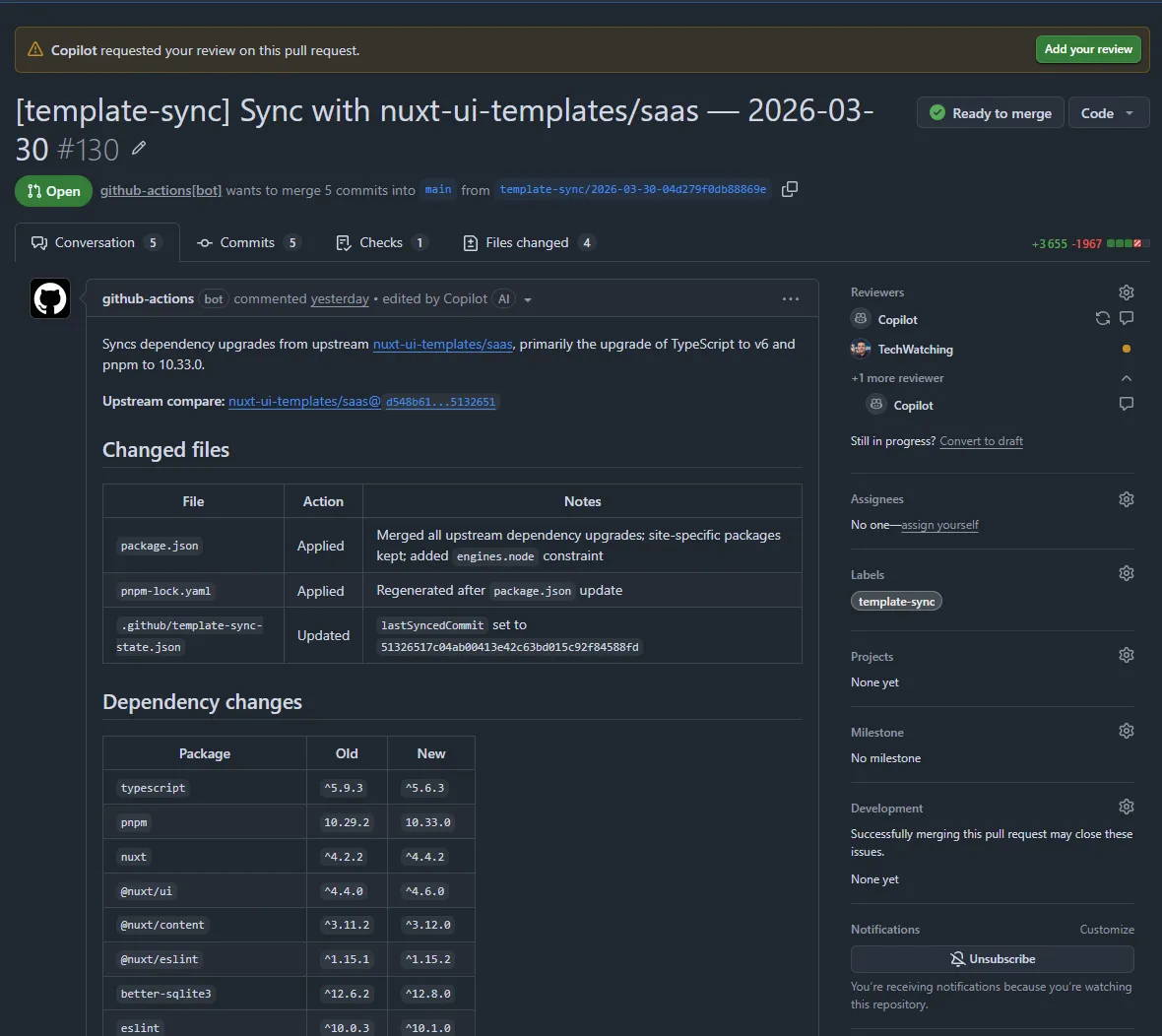
This is not a very complex use case but it solves a real problem for me that would have been difficult to solve with traditional automation.